
How to place an order?
- Select and Bag Once you’ve found your perfect item, choose your size from the dropdown menu and click "Add to Shopping Basket."
- Secure Checkout When you’re ready to finalize your selection, click "Pay Securely Now." Returning Guests: You’ll be prompted to log in with your email and password.
- Review & Confirm We’ll guide you through a simple four-stage process to ensure your details are correct:
- Order Confirmation Success! Once placed, you will be directed to a confirmation page displaying your order details. We will also send a confirmation email to your inbox within a few minutes.
New Customers: You can easily create a Customer Account to streamline your checkout and track future orders.
Delivery: Confirm your shipping address and order summary.
Payment: Choose your preferred payment method and verify your billing information.
Finalise: Securely enter your payment details to complete the transaction.
Has my order been registered?
Keep an eye on your inbox as we’ll keep you updated about your order via email.
Remember to check all your email folders, including Junk, Updates, Promotions etc.
Can I cancel or amend my order?
To modify or cancel your order, please click here.
If your order status is 'Awaiting Preparation', you can change your delivery address, the size of your product or cancel your order.
If your order status is 'Preparation in Progress', 'Order in Transit' or 'Order Shipped', no modifications can be made.
How much does delivery cost and how long does it take?
We dispatch orders every Monday, Wednesday, and Friday based on the following schedule:
- Orders placed before 12:00 PM (noon): Typically shipped the same day (on dispatch days).
- Orders placed after 12:00 PM or on non-dispatch days: Shipped on the following dispatch day.
- Weekend orders: Dispatched on the following Monday.
Note: Dispatch days and delivery windows are estimates and may be subject to change during peak periods. In case of exceptional circumstances, Rubbersole cannot be responsible for the delay of delivery.
*At this time, we are unable to deliver any orders to BFPO addresses or PO Box addresses.
*At this time, we are unable to deliver any orders to the Channel Islands
Can I ship to an alternative address?
Workplace Deliveries If you choose to have your parcel delivered to a business address, please ensure you include both the company name and the contact name in the address fields to ensure successful delivery.
Partner Products Please note that the above information applies to all items except "Partner Products." These items are subject to their own specific Delivery and Returns policies, which can be found directly in the product descriptions.
Can I track the delivery of my order?
Deliveries can be made any time between 7.00am and 9.00pm.
A signature might be required upon delivery. Please ensure you enter the delivery address where someone will be present to sign for the delivery.
There's a problem with my delivery!
- If your order is still within the estimated delivery window:
We kindly ask that you wait until the maximum delivery date has passed. If your tracking indicates that the parcel is "Pending at the Post Office" or "Available at a Relay Point," please collect it as soon as possible to avoid the package being returned to our warehouse. - If your tracking has stopped updating or the delivery date has passed:
If your package status is not updating, or if the maximum delivery time has been exceeded, please contact our Customer Service team. We will launch a formal investigation with the courier to locate your parcel. - If your tracking says "Delivered" but you haven't received it:
Please check with your neighbors or any "safe places" around your property. If the parcel still cannot be found, contact us so we can provide you with the necessary delivery dispute form.
Where do you deliver to?
- England
- Scotland
- Northern Ireland
- Wales
- Please note that we do not deliver to the Channel Islands, the Isle of Man, BFPO addresses or PO Box addresses.
Why do I need a Rubbersole customer account?
- Manage Your Profile: View and edit your personal information, delivery addresses, and password.
- Preferences & Rewards: Manage your newsletter subscriptions, check your gift vouchers, and sponsor your friends.
- Get Involved: Leave product reviews and share your feedback with the community.
- Order Impact: Updating your account details will not change the information on orders you have already placed.
- Data Removal: If you would like to permanently delete your account or request the removal of your personal data, please send contact our customer care team.
What You Can Do in "My Account"
Your customer account keeps your information secure and helps us process your orders quickly. Located in the top-right corner of the page, My Account allows you to manage everything in one place at any time:
Important Privacy & Data Info
How do I create, update, or delete my account?
Creating an Account
You can create an account in two ways:Before you shop:
Click My Account in the top-right corner of the page, then fill out the form under Registration
During checkout:
You will also have the option to quickly create an account while completing your online purchase.
Managing Your Details
Keep it updated: We recommend checking your account occasionally to ensure your information is up to date.Existing orders: Please note that updating your account details will not change the information on orders you have already placed.
Deleting Your Account
If you would like to delete your account, please follow these steps:- Log in to the website.
- Click My Account on the left side of the page.
- Select Delete My Account
- Enter your password and click Delete My Account to confirm.
Need help? Contact our customer service team, and we will assist you as soon as possible.
Forgot your password?
You’ll be up and running again in no time!
Need to contact us?
- Our call centre is here to answer all of your questions 02080 683178 (local call rates apply) from Monday to Friday between 8am and 4pm.
- You can also contact us by clicking on Help & Contact to leave us a message or email us at adriana@rubbersole.co.uk.
How do I sponsor a friend?
Your friend must be new to Rubbersole and place a first order of £50 or more to qualify for the offer using the same email address you use to recommend them. Once your friend has shopped, your sponsor account will be credited with £10 (credited 30 days after the date of order for orders of £50 or more that are not subject to any returns). All introducers must be existing account holders.
You can sponsor up to 100 people and earn up to £1000.
Conditions:
- Your earnings are credited 30 days after the date of order for orders of £50 or more that are not subject to any returns.
- Your earnings are issued in the form of a gift voucher, valid for 1 year.
- Cumulate your earnings and request a gift voucher from £20 onwards.
Loyalty programme
Loyalty Points Programme
Earn points every time you shop at Rubbersole and exchange them for gift vouchers to get money off future orders.
How to Earn Points
- Earning Rate: You earn 2 points for every £1 spent. Each point is worth 1p.
- Eligible Items: Points are awarded on shoes, clothing, bags, and accessories. Delivery charges are excluded.
- Product Pages: You can see exactly how many points an item is worth directly on its product page.
Managing Your Balance
- Pending Period: Points are automatically added to your balance 30 days after your order date (excluding any items you choose to return).
- Check Your Balance: Log in and click My Account in the top-right corner of the page to view your total.
- Expiry: Your loyalty points are valid for 12 months.
How to Redeem
- Threshold: Once your balance reaches 500 points, you can exchange them for a £5 gift voucher to use on your next order.
- Save or Spend: You can choose to spend your points as soon as you hit the threshold or save them up for a larger voucher.
How can I find out more information about a product?
There is a description box on each product page just below the product photo where you can find details on the material. There is also a link to our size guide on each product page.
If you can't find the information you need about a product, please don't hesitate to contact us and we'll try our best to help you.
Stock availability
- You can ask to be notified when it arrives by email by clicking on the "Size alert" button, which can be found on the product page. Simply enter in your email address and the size you are looking for, and you will be immediately notified by email if/when your size becomes available.
- Why not look for an alternative in our New Arrivals section?
Tell me more about Rubbersole
There is more choice than you could ever imagine, from trainers to ballerinas, loafers, derbies, flip flops, sandals, boots and even slippers!
How can I pay for my order?
- Debit/credit card
- Paypal
- Rubbersole gift voucher or credit note
We're committed to ensuring we keep our customers safe. In order to do this, we perform identity checks on some orders. If we're unable to validate your identity, we may get in touch to ask for a little more information from you.
Is it safe to order online?
We utilise industry-standard Secure Sockets Layer (SSL) technology to allow for the encryption of potentially sensitive information such as your name, address and other critically sensitive information like your credit card details. Information passed between your computer and our website cannot be read in the event someone else intercepts it.
This technology includes the following features:
- Authentication: this assures your browser that your data is being sent to the correct computer server, and that the server is secure.
- Encryption: this encodes the data, so that it cannot be read by anyone other than the secure server.
- Data Integrity: this checks the data being transferred to ensure it has not been altered.
How do I use my Rubbersole credit note or gift voucher?
The promotion will be applied directly to the amount of your shopping bag if the conditions of the voucher apply to the item(s) purchased.
If your gift voucher or credit note is directly linked to your customer account, you can select your voucher in the drop down menu in the "Promotional Code" section.
If the amount of your gift voucher is higher than the amount of your order, the balance is transferred to your gift voucher account which is located directly in your customer account. It will automatically be offered during a future order on the payment page.
If the amount of your gift voucher is less than the amount of your purchase, you will need to pay the extra amount by another means of payment.
The promotion will be applied directly to the amount of your shopping bag if the conditions of the voucher apply to the item(s) purchased.
How do I use a promotional code?
How to Use a Promotional Code
Once you reach the payment stage, enter your code exactly as shown (with no spaces) into the 'Promotional Code' box and click 'OK'.
If the code is valid, your discount will apply automatically. You will see the total price updated and the discount value displayed right beneath your items.
Why Isn't My Promotional Code Working?
If your code isn't applying, please check the following:
- One Code Per Order: You can only use one promotional code per order.
- Exclusions & Expiry Dates: Every code has unique terms. It may only apply to specific items, and most codes have an expiration date. Check the original email or the webpage where you found the code for its specific rules.
- Account & Email Restrictions: Some codes are locked to specific customers. If you received the code via email, make sure you are logged into the Spartoo account associated with that exact email address.
- General Exclusions: Some brands or products are excluded from general promotions. For full details, please review our "Conditions of our current promotional offers" page.
Do prices on the website include VAT?
For more information please refer to our Terms & Conditions.
What is the returns policy?
- You can return any item for a refund within 30 days of receiving your original order.
- You can also exchange your item within 30 days, as long as the new item is the same as the original product you ordered.
- We'll send your replacement to the default delivery address on your account - we can’t send a replacement to an address that’s not your default delivery address.
- To check or update your address details, log into My Account and go to ‘My Addresses’.
- If the item is out of stock in the size you have opted for, then a refund will be issued instead.
- If you want a different item, then you'll need to return the unwanted item for a refund and place a new order.
- We will refund the price you purchased your item at. This includes sale items.
- All goods will be inspected on return.
- The goods are your responsibility until they reach our warehouse, so make sure it’s packed up properly and can’t get damaged on the way!
- We are not responsible for any items that are returned to us by mistake.
- In the unlikely event that an item is returned to us in an unsuitable condition, we may have to send it back to you.
- We recommend you obtain proof of postage.
- All items must be unworn and in their original condition. Returned items should include tags and any packaging e.g. shoes should be returned with the original shoe box.
How do I return an item?
Step 1: Customer Account
Sign in to your Rubbersole customer account with your email address and your password and go down to the section "My Returns" to complete a return request.
Step 2: Receive label
You'll receive an email with a link that you can click on to print out your shipping label.
Step 3: Drop your parcel off at Yodel
Drop your parcel off at any Yodel drop off point near your address.
We recommend you obtain proof of postage.
Whats happening with my return?
Need to return an item? It's quick, simple and free!

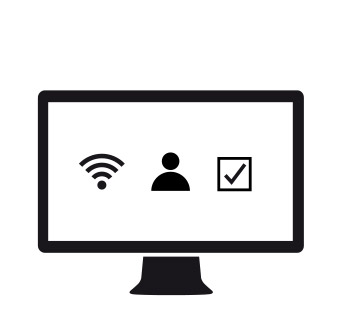
Login to your customer account and complete a return request

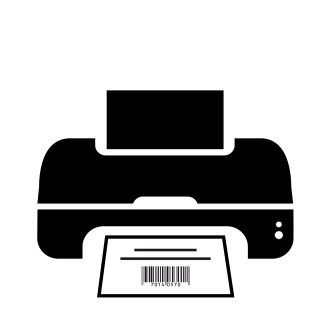
Print out your pre-paid returns label

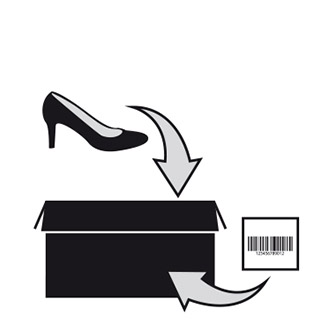
Prepare your returns parcel and stick on your pre-paid label

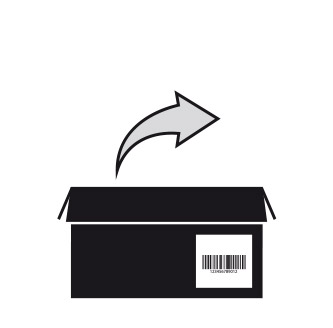
Drop your parcel off at a Collect+ point.


Based on your choice, we will process your exchange or refund!
We’ll send you an email as soon as we’ve completed your return, letting you know whether a refund or exchange has been processed. This is usually done within 1-2 working days of receiving your return into our warehouse.
Any refund will automatically be issued to the payment method you used to place your original order. This typically takes 3-5 working days, depending on your payment method issuer.